
Band/Mode Details Matrix
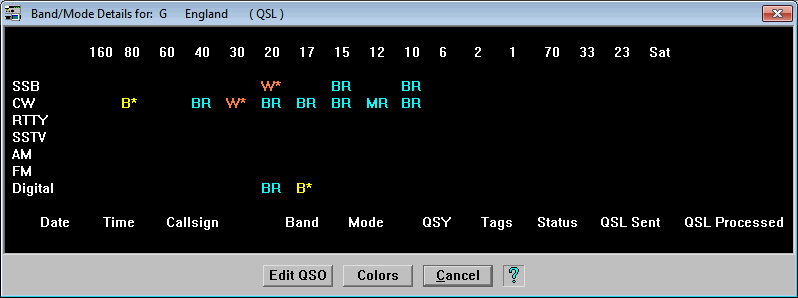











The Band/Mode Details window shows a matrix of bands vs. modes for each entity so that once again, you can see at a glance which bands and modes you have worked the entity and the QSL/eQSL status. Additionally, while not shown in this image, clicking on the intersection of a band and mode will display the credited contact along the bottom of the window. As in previous windows, the Colors button will display the Award Status Color Definitions window.


Contact Information
Tech Support and FAX --
Postal Address -- 5560 Jackson Loop NE -- Rio Rancho, NM 87144
For Comments or Questions, Please Use Our
Contact Form
ProLog |
Order Now |
What's New? |
Products and Services |
Support and FAQ's |
Links
Product Reviews
|
User Feedback |
Downloads |
Contact Us |
Discussion Forum